Email signature
Note — If your signature isn’t displaying correctly, follow the below instructions to reset it. If the issue persists, clear your browser’s cache.
Follow the Instructions
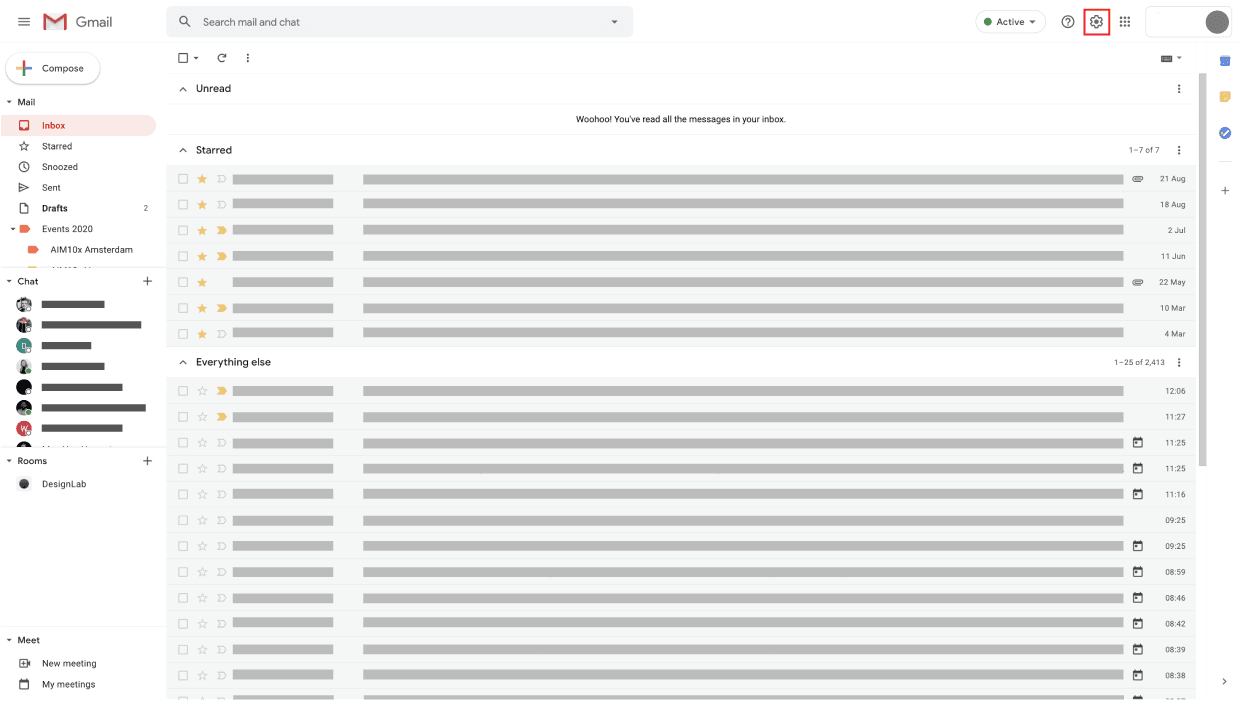
Step 1
Click the "Settings" icon.
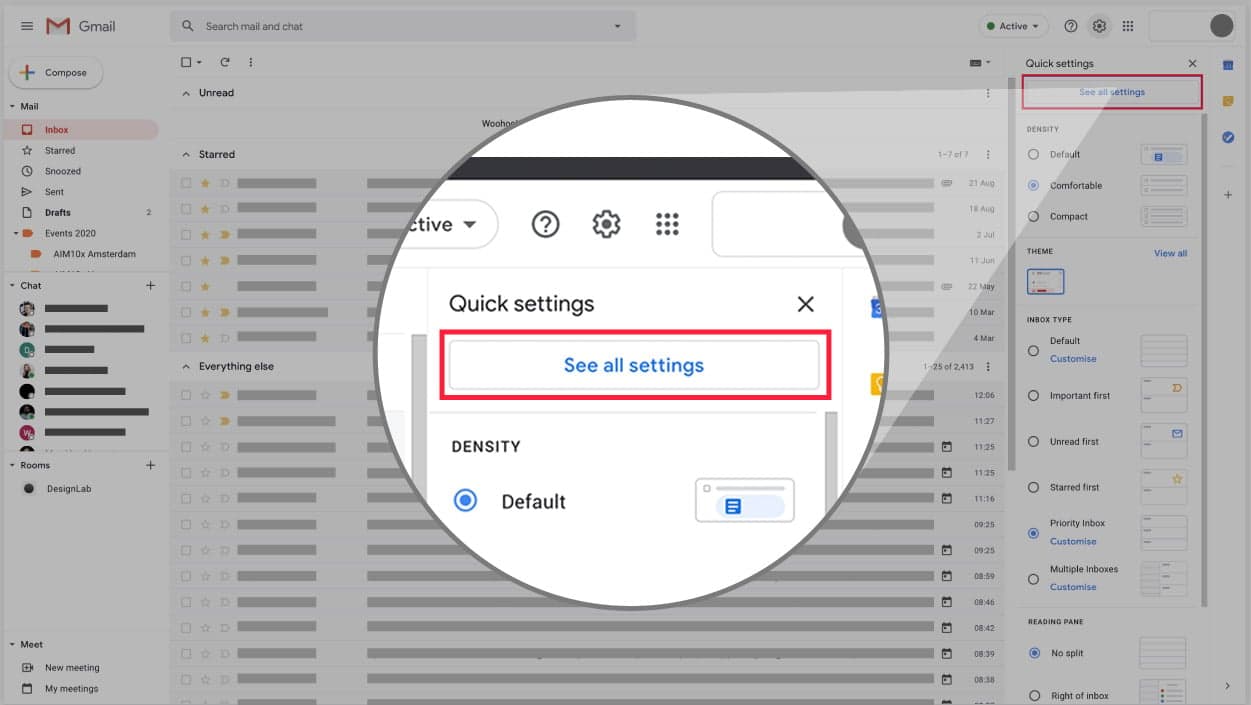
Step 2
Continue to "See all settings".
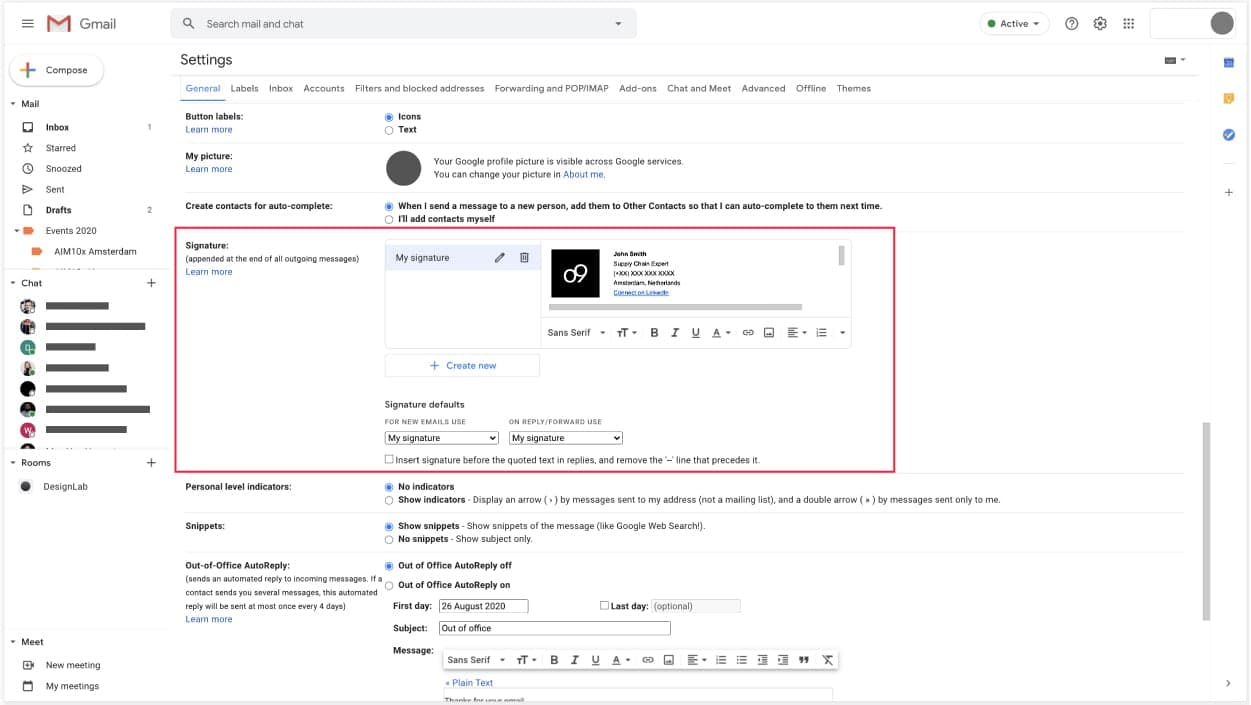
Step 3
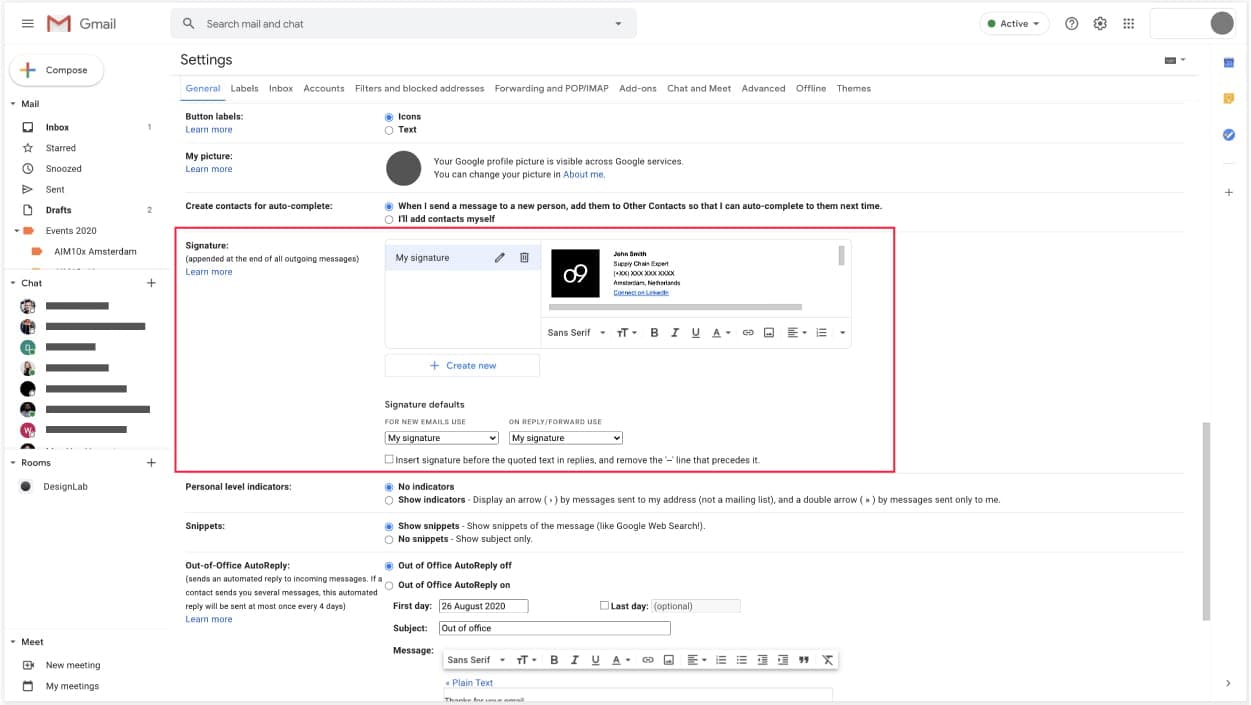
Scroll down to the "Signature" box.
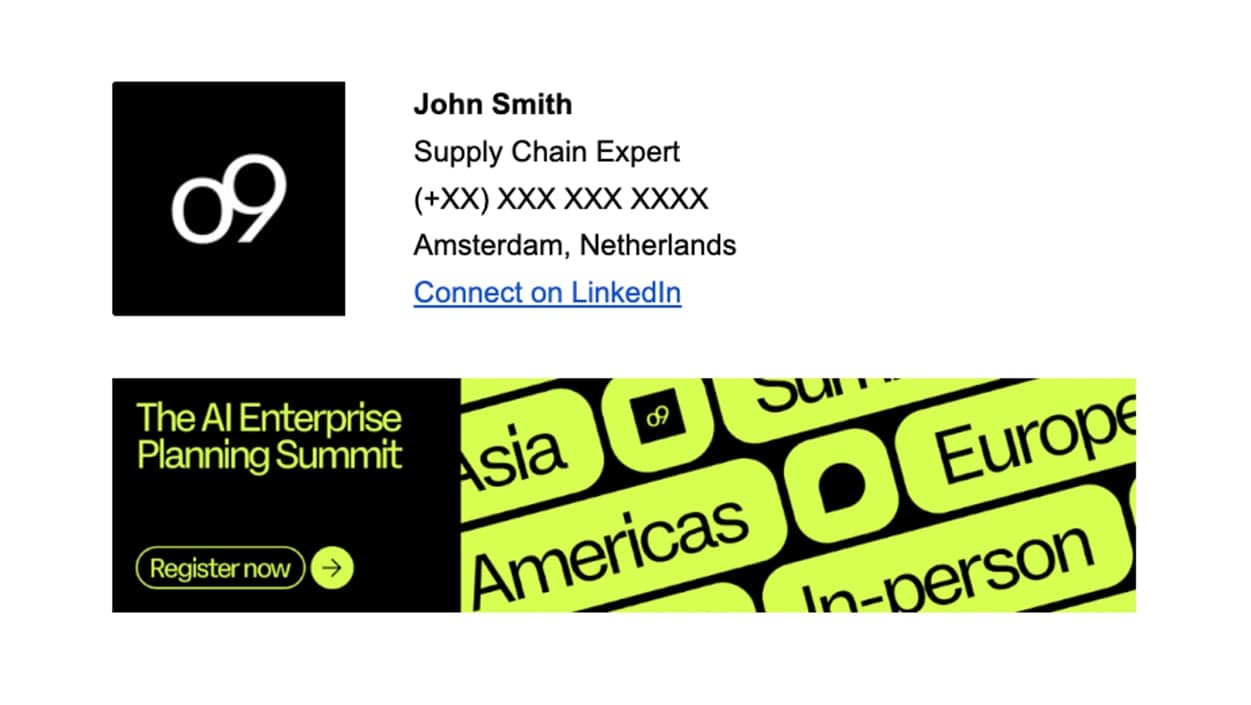
Step 4
Highlight the logo, text and banner from your region's email signature template above — copy and paste that into the text box.
Step 5
Make sure to edit your details correctly in the text box, and add a hyperlink to your LinkedIn profile.
Step 6
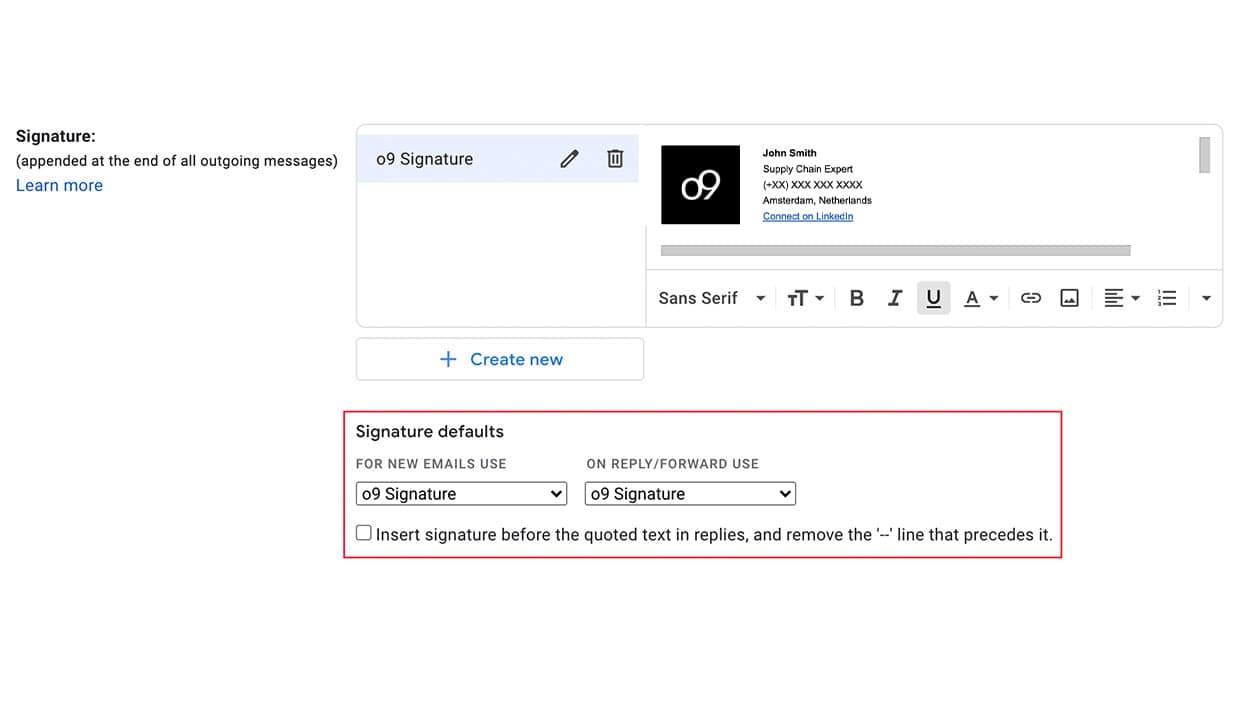
Ensure your signature is set as the default for new emails and for replies/forwards.
Step 7
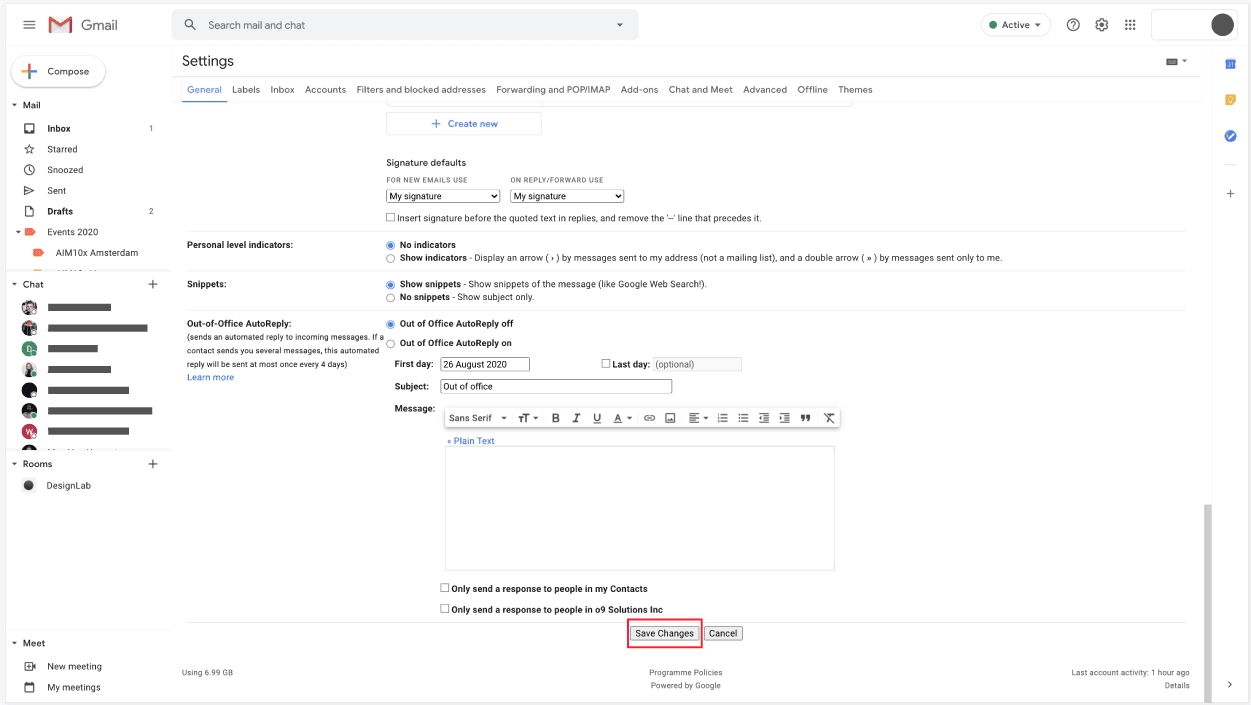
Scroll to the bottom to click "Save Changes".

Step 8
Optional — You can create an alternative version without the animated banner for replies/forwards.
on this page